A new Discord server looks simple until you start creating channels.
You add #general, then #gaming, then #gaming-chat. Someone suggests a separate channel for clips. Another friend wants two voice rooms. Before long, you have twenty channels and nobody knows where to find a squad.
A good server layout gives every conversation a place without making members scroll through empty channels.
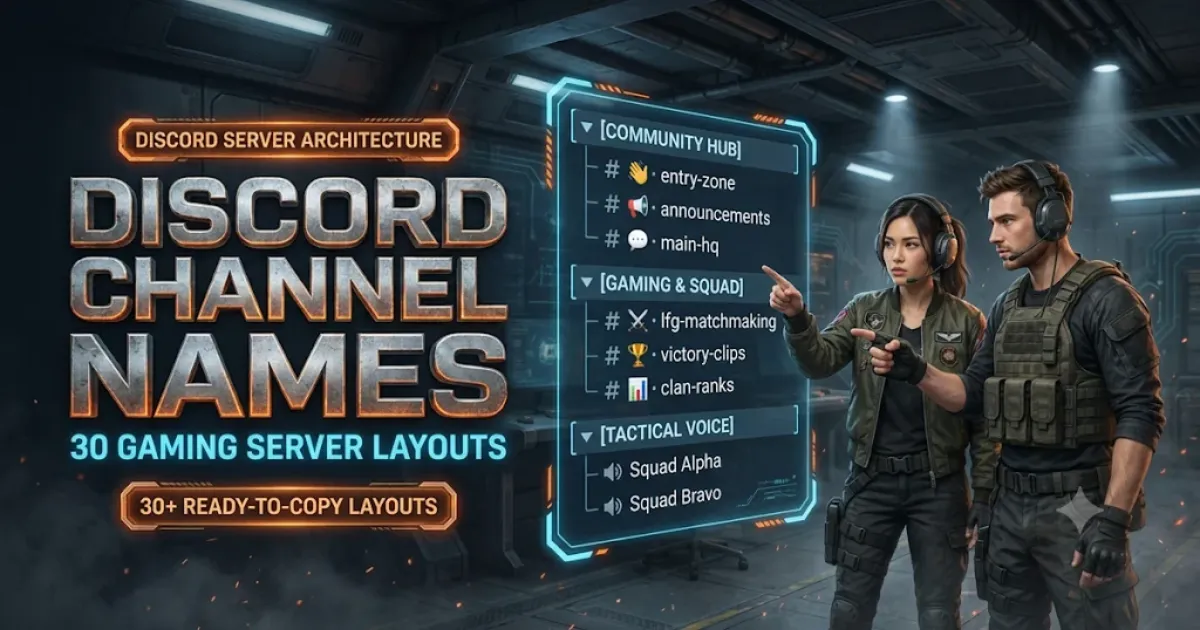
Here are 30 ready-made Discord gaming server layouts with text channel names, voice room ideas, and categories you can copy. There are setups for Free Fire, BGMI, Valorant, Minecraft, Roblox, Fortnite, competitive teams, streamers, casual friends, and aesthetic communities.
Each layout is a separate example. You don't need to combine all thirty.
How to read the layouts: Names beginning with # represent text channels. Names listed under Voice are voice channel names. Capitalized labels such as WELCOME and GAMEPLAY are suggested Discord category names. The layouts are planning templates, not automatic server imports.
Simple Discord Channel Layouts for Friends
If your server is just for a handful of friends, keep the structure small. You probably don't need separate channels for every game, a long list of ranks, or complicated onboarding.
Start with one main chat and a couple of places to play together.
Small Gaming Friend Group
This layout is enough for friends who know each other and play a few different games. Use #game-plans to decide what everyone is playing tonight. Keep the other conversations in the main chat.
Weekly Game Night Server
This works for a group that meets every Friday or Saturday.
The voting channel helps everyone choose a game before the session begins. #rsvp-and-teams is where people can say whether they're joining, so nobody spends half the evening waiting for missing players.
Late-Night Gaming Server
Late-night groups often have members who are free at very different hours.
Use #whos-awake to find available friends without tagging everyone. Quiet Corner can be a relaxed voice space for people who want to talk without joining an active match.
Multi-Game Discord Community
A multi-game server needs clear separation between different interests.
Start with the three games your members actually play. Add more game channels only when conversations become busy enough to need them.
The #choose-your-games channel can explain how members select game interests. Actual role and channel selection must be configured using Discord's available onboarding or role-assignment features.
Mobile Gaming Hangout
This layout suits a community where most members play on phones.
A channel for device settings can help keep conversations about controls, performance and connection problems separate from regular match planning.
Only add games that have an active audience in your server.
Discord Channel Names for Specific Games
A server built around one game usually needs fewer general channels and more places for that game's actual activities.
Here are fifteen game-specific layouts.
Free Fire Discord Server Layout
Free Fire guild communities benefit from keeping Battle Royale and Clash Squad recruitment separate. Players can find teammates for the mode they actually want to play.
Use #recruitment-details for your guild's real requirements, play times and joining instructions.
If you organize guild activities, share accurate schedules in #guild-activity-plans.
BGMI and PUBG Mobile Server Layout
A BGMI-focused server should make it easy to put together four-player groups.
Keep scrim announcements separate from everyday ranked conversations. If the server doesn't organize scrims, replace that channel with something your members use regularly.
Valorant Discord Server Layout
Valorant players often need different teammates for ranked and casual sessions.
Separate LFG channels prevent a casual player from repeatedly joining conversations where everyone is organizing competitive matches.
#lineup-sharing is useful for screenshots, explanations and practice discussions. A dedicated forum may work better later if members start sharing lots of detailed guides.
Minecraft Survival SMP Server Layout
An SMP server needs practical information about how members join and what is allowed in the world.
Use #item-trading for agreed in-game trades, not requests for passwords or account access.
For a private whitelist-only server, keep connection details and other sensitive information available only to the appropriate members.
Minecraft Creative Builders Server
A creative-building community is different from a survival SMP.
Here, members need somewhere to share unfinished work, request feedback and compare design ideas.
The separation between #works-in-progress and #finished-creations keeps the showcase useful for people looking for completed builds.
Roblox Gaming Community Layout
This layout suits a community built around a Roblox experience or a group of players who enjoy exploring different experiences.
#bug-reports is useful if you manage your own experience and want players to describe problems.
Don't ask players to share passwords, authentication codes or account recovery information. Community help should never require login credentials.
Fortnite Discord Server Layout
Fortnite communities can have very different groups of players.
Someone looking for a Zero Build duo may not be interested in a building-focused session.
Keeping those requests separate helps everyone find compatible teammates without sorting through unrelated messages.
Apex Legends Discord Server Layout
Apex players can use these channels to find teammates with similar playstyles.
Legend combinations and rotations deserve their own spaces if members actively discuss strategy.
For a small group, combine those two topics into one channel until participation grows.
Counter-Strike 2 Discord Server Layout
CS2 teams benefit from channels for planning practice and reviewing previous matches.
Use #utility-lineups for smoke and flash setups, and #demo-review for clips or specific moments members want to discuss.
Keep team-only strategy material private when necessary.
Rocket League Discord Server Layout
Two-player and three-player queues have different team requirements, so separate LFG channels can make sense for an active Rocket League community.
Replay feedback is particularly useful when members want advice about positioning, decision-making or mechanics.
Mobile Legends Gaming Server Layout
Mobile Legends players often need teammates who can cover different lanes and roles.
A dedicated #roles-and-lanes channel can help people find compatible teammates before they queue.
For a smaller community, merge it with the ranked recruitment channel.
Genshin Impact Co-op Community Layout
This layout focuses on co-op help rather than competitive matchmaking.
Use #boss-help and #domain-runs for specific assistance requests.
Members can share the necessary in-game details through appropriate channels, but should never be asked for login credentials.
GTA Roleplay Discord Server Layout
Roleplay communities need a clear distinction between in-character and out-of-character conversations.
#character-applications can contain application instructions or links to an approved process. Sensitive applications and reports should not be exposed in public channels.
Whether Discord voice can be used during roleplay depends on the rules of the specific roleplay server.
Co-op Survival Gaming Server Layout
This works for communities that play survival and cooperative adventure games.
#resource-requests can help members share what they need before a session starts, while #mission-planning keeps the actual objectives organized.
Speedrunning Discord Server Layout
Speedrunning communities need room for detailed questions and evidence, not just general gaming chat.
#personal-best-board can collect members' run links and achievements. It should not be presented as an automatically verified leaderboard unless an actual verification process exists.
Discord Channel Layouts for Competitive Teams and Creators
These next five layouts are designed around a purpose rather than one particular game.
They work best when the server has regular activities that need organizing.
Competitive Esports Team Server
This structure suits a team with an established roster and regular practice schedule.
Consider restricting access to sensitive strategy channels and private team discussions.
Role permissions should reflect actual responsibilities rather than simply following an attractive role-name hierarchy.
Gaming Tournament Organizer Server
Tournament servers need official instructions that participants can find quickly.
Keep announcements and confirmed results separate from ordinary chat.
#support-and-disputes can explain where to submit a complaint, but private disputes and personal information should be handled through restricted channels or an appropriate support process.
Looking-for-Group Gaming Server
This setup is useful when the server's main purpose is helping members find teammates.
You can ask members to include the game, region, platform, preferred mode and playing time in each request.
For larger Community servers, a Forum channel with tags can help organize group-finding posts. Don't assume every server has Forum channels enabled.
Gaming Streamer Community Layout
A streamer community is built around the creator's content, so the update channels should be easy to find.
A channel named #live-announcements won't post automatically by itself. Automated notices require a configured integration, bot or manual moderator posting.
Gaming Clips and Content Creator Server
This layout works for people making gaming videos, thumbnails, shorts and highlight compilations.
Separating raw clips from finished work makes it easier for editors to request feedback without filling the showcase with unfinished material.
Encourage members to share content they own or have permission to use.
Themed and Community-Focused Discord Layouts
A theme can give your server personality, but members should still understand where to go.
These final five layouts balance distinctive channel names with everyday functions.
Friendly Girls' Gaming Community
This layout can suit a women-led or girls-focused gaming community.
#help-and-safety should explain how members can privately contact moderators. Don't use a public text channel to collect sensitive harassment reports.
A respectful server needs thoughtful moderation, not just welcoming channel names.
Indian Multilingual Gaming Server
This layout can help members who prefer gaming conversations in different languages.
Only create language-specific channels when your community has members who will use them. Add Kannada, Malayalam, Bengali, Marathi or other language spaces according to actual demand.
Language roles or channel choices require configuration. Channel names alone don't assign members automatically.
Cute and Cozy Gaming Discord Layout
This layout suits a community that enjoys relaxed games, co-op sessions and sharing small achievements.
The names have a consistent theme without making the server difficult to navigate.
You could use soft colors and a small number of decorative symbols, but the channels should remain readable.
Dark Cyberpunk Gaming Server Layout
Cyberpunk themes work well when you balance fictional language with recognizable activities.
#mission-board can be the place to organize sessions. #after-dark-lfg makes the team-finding purpose obvious even to newcomers.
The theme should support navigation rather than hide basic functions behind mysterious names.
Funny Meme Gaming Server Layout
This is for a group that enjoys teasing itself, sharing ridiculous moments and playing games without taking every result too seriously.
The joke works because the channel purposes are still understandable.
Use #clip-of-shame for voluntary, lighthearted sharing, not to humiliate other members.
Even a meme-focused server needs real moderation rules. A funny channel title doesn't replace clear expectations about harassment, spam and privacy.
How to Choose the Right Discord Server Layout
Thirty options can sound like a lot, but choosing one is fairly simple.
Start with the reason people are joining your server.
If five friends just want to play together, use the Small Gaming Friend Group layout. A server with regular Valorant players will benefit more from ranked and unrated LFG channels. A Minecraft SMP needs world information and building discussions. A tournament community needs schedules, registration details and confirmed results.
Consider these differences:
| Server type | Most useful channels |
|---|---|
| Small friend group | Main chat, game plans, voice lobby |
| Single-game community | Game discussion, LFG, clips |
| Competitive team | Practice calendar, scrims, match review |
| Public gaming server | Rules, announcements, support, LFG |
| Content creator community | Stream updates, clip submissions, audience chat |
| Minecraft SMP | Join instructions, builds, trading |
| Tournament server | Registration, schedules, results |
| Casual aesthetic server | General chat, cozy games, relaxed voice rooms |
Don't create every suggested channel immediately.
A small server with six active text channels can feel more welcoming than one with forty nearly empty rooms.
When a conversation becomes too busy for its current channel, that's a good time to consider adding another.
How to Create the Channel Categories in Discord
The names in this article are examples you can copy while building your server.
On desktop, you can create a category from your server's channel-list controls, then create text or voice channels inside it.
For example, to build the Free Fire layout:
- Create a category called GUILD INFORMATION.
- Add text channels named `guild-guidelines`, `guild-announcements`, and `recruitment-details`.
- Create another category named FREE FIRE.
- Add its Battle Royale, Clash Squad and discussion channels.
- Create the voice channels and arrange everything in your preferred order.
The # symbol shown in the examples indicates a text channel. You normally enter the channel's name itself when creating it.
You can move channels between categories and adjust their settings afterward.
Discord also has its own server template features. The structures shown here are written examples, not generated Discord template links or files that automatically install themselves.
Text Channels, Voice Channels and Forum Channels
Not every conversation belongs in the same type of channel.
Text channels work well for announcements, quick messages, screenshots, schedules and everyday discussions.
Voice channels are useful for live matches, group calls, practice sessions and casual hangouts. Discord also supports text chat associated with voice channels, so you may not need a separate text room for every voice party.
Forum channels organize discussions into individual posts. They can be useful for bug reports, recruitment threads, detailed guides or long-running LFG requests.
Forum channels require a Discord Community server. If you don't have one enabled, use regular text channels and threads instead.
Use the simplest type that fits the conversation.
Should You Use Aesthetic Symbols in Channel Names?
Decorative symbols can make a server feel more personal.
For example, a cozy gaming community might use:
✿・teacup-chat☾・slow-game-club♡・tiny-achievements
A competitive server might prefer:
ranked-squad-findermatch-reviewpractice-calendar
Neither style is automatically better.
The main thing is consistency. If you use decorative prefixes, keep them readable and test how they display on mobile.
Avoid making every channel name so decorative that members struggle to recognize or search for it.
If you're looking for matching symbols or text faces, NickFinder's Lenny Face Generator can provide inspiration.
Public and Private Channels Need Different Permissions
Some channels should be visible to everyone. Others contain information meant only for moderators, organizers or team members.
For example, a public tournament might have #official-results available to all participants, while a private staff channel contains discussions about disputes.
Discord lets you configure role and channel permissions, including access restrictions.
Creating a category named STAFF doesn't automatically make it private. You still need to configure the relevant permissions.
Be careful when duplicating channels or changing category permissions, since these settings affect what different members can view and do.
Only trusted people should receive powerful moderation permissions.
Five Channel Naming Mistakes to Avoid
Creating several channels for the same conversation. If #general, #main-chat, and #everyday-talk all serve the same purpose, members won't know which one to use.
Adding inactive game channels. A server with twenty game channels but only two active games can feel empty. Build around the games members already play.
Hiding important instructions. Rules, joining information and announcements should be easy to locate, not buried beneath decorative categories.
Making channel names too complicated. A label such as #ranked-squad-finder usually communicates more than a mysterious fantasy title.
Forgetting permissions. Private staff discussions, support requests and team strategy notes need appropriate access controls.
The aim isn't to make the longest server sidebar. It's to help members find what they need.
Frequently Asked Questions
What are good Discord channel names for gaming servers?
Good names include `#game-plans`, `#ranked-squad-finder`, `#match-highlights`, `#practice-calendar`, and `#community-events`. Choose names that describe how the channel will be used.
What channels should every gaming Discord server have?
Most benefit from a main chat, a place for rules or guidelines, a way to find teammates, and at least one voice channel. Larger public communities may also need announcements and moderator support.
What are good Discord voice channel names?
Four Stack, Ranked Queue, Gaming Lobby, Campfire Chat, Squad Room One, and Quiet Hangout are useful examples. Match the voice room names to the activities your members enjoy.
What channels should a Free Fire Discord server have?
A Free Fire community could use `#br-squad-finder`, `#clash-squad-lfg`, `#guild-announcements`, `#booyah-highlights`, and dedicated squad voice rooms.
What are good Discord channel names for Minecraft?
For an SMP, try `#join-instructions`, `#survival-chat`, `#base-showcase`, `#item-trading`, and `#community-projects`.
Can I copy these Discord server layouts?
Yes. You can use the names and category structures as starting points when creating your server. They're planning layouts, so channels and permissions need to be configured in Discord.
Can Discord channels have emojis and symbols?
Discord supports many decorative characters in channel names, although appearance and compatibility can vary. Keep names readable and test them before applying a full naming theme.
What's the difference between Discord roles and channels?
Roles help identify members and manage permissions. Channels are spaces for conversations and activities. A server may use both together, but they are separate features.
How many channels should a small Discord server have?
There is no universal number. Start with the conversations your members actually need. A main chat, a game-planning channel, a voice lobby, and essential information channels may be enough.
Can I make a Discord channel private?
Yes. Discord provides channel permissions that can limit visibility and access to selected roles or members. The restrictions must be configured in the channel or category settings.
Build a Server People Can Actually Navigate
It's tempting to create dozens of channels on the first day because you want your Discord server to look complete.
But the best layout is the one your members understand without needing a tour.
Choose the template that matches your community, create the essential channels, and invite a few people to try them. Watch where conversations happen naturally.
Add new spaces when there's a clear reason, and remove or reorganize channels that nobody uses.
If you're also choosing staff titles, game roles or member ranks, explore NickFinder's Discord Gaming Server Role Names collection for ideas that fit your channel layout.
Explore More Discord & Gaming Server Tools
- Need roles for staff and members? Check out 220 Discord Gaming Server Role Names.
- Looking for profile bios? Browse 160+ Cute & Aesthetic Kaomoji Discord Bio Templates.
- Want status messages with text faces? Explore 180+ Discord Status Ideas With Text Faces & Symbols.
- Building a clan? Explore 200 Short Clan Tags With Meanings and 110+ Free Fire Guild Recruitment Messages.