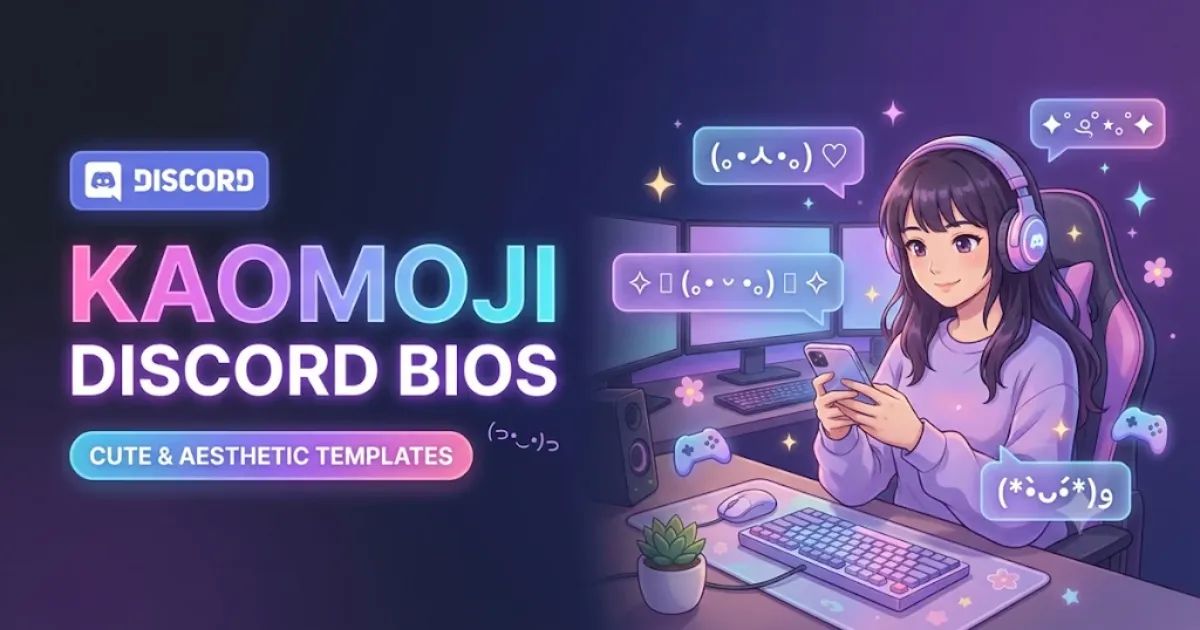
Kaomoji Discord Bio Templates: 160 Cute & Aesthetic Bios to Copy

Kaomoji Discord Bio Templates: 160 Cute & Aesthetic Bios to Copy
Table of Contents

Your Discord bio is a small space, but it can still sound like you. Maybe you're the person who stays up too late reading, the friend who brings snacks to every game, or the cat owner whose keyboard belongs to someone else. A tiny text face and a few well-chosen words can tell that story without a long introduction.

Below are 160 kaomoji Discord bio templates for cute, cozy, minimal, gaming, funny and matching profiles. Each example includes the complete bio, with line breaks where they're part of the design. Copy both lines, or use the interactive studio below to personalize the details before pasting into Discord's About Me field.

Discord Platform Notice: These templates are specifically formatted for your profile's About Me field. Discord uses separate, stricter rules for account usernames (restricted characters) and display names (32-character maximum).

Interactive Kaomoji Discord Bio Studio

Preview how your kaomoji bio looks inside a simulated Discord profile card. You can edit the lines directly, customize placeholders (like Name, Game, or Mood), test character limits, and copy with one click.

Discord About Me Kaomoji Studio

Live Simulator
Display Name @username
ABOUT ME
(。•̀ᴗ-)✧ hi, you found my little corner ♡
41 / 190 chars Advisory: Exceeds 190 characters
Personalize Template Placeholders:

Quick Picks: Cute Discord Bios With Kaomoji

If you don't want to scroll through every category, start with these. They give a sense of how the collection varies, from quiet introductions to friendly gaming jokes.

Try Hello, stranger for a friendly first impression, Sunday pace for a relaxed profile, or Cat owns account if your pet usually wins the argument over the keyboard. For gamers, Casual queue and AFK tea say more than a generic "I play games." The full copy-ready versions appear in their respective sections below.

How to Use These Discord About Me Templates

  1. Pick a category and find a bio that fits the mood you're going for.
  2. Click Copy Bio to copy the complete two-line text, including the line break.
  3. Open Discord on desktop, web or mobile, and navigate to User Settings > Profiles.
  4. Find the About Me text box.
  5. Paste the copied bio and check the profile preview before saving your changes.

If you want to change a word, you can edit it in the studio first. Leave the kaomoji alone unless you're certain how its character spacing works. Removing a single bracket or eye character can change the whole expression.

160 Kaomoji Bio Templates for Discord

Explore the full collection of 160 curated bio codes below. Use the instant search bar or category chips to filter by aesthetic, or click Copy Bio to grab any design instantly.

Cute & Kawaii Discord Bio Templates

These have cheerful faces and friendly lines for people who like a little sweetness without turning every sentence into baby talk. Copy the two lines together so the face stays connected to the message.

#01 Tiny hello 41 chars
(。•̀ᴗ-)✧ hi, you found my little corner ♡
#02 Pocket sunshine 40 chars
☀ (◕‿◕✿) bringing the good kind of noise
#03 Small joys 40 chars
(´。• ᵕ •。`) collecting tiny good moments
#04 Kindly chaotic 39 chars
✿ (≧◡≦) kind heart, questionable timing
#05 Hello, stranger 30 chars
(。・ω・。)ノ♡ you can say hi first
#06 Sunny side 33 chars
(✿˘︶˘✿) a little brighter in here
#07 Good news desk 37 chars
(ノ◕ヮ◕)ノ*:・゚✧ tell me something lovely
#08 Happy accident 28 chars
(๑˃ᴗ˂)ﻭ made it here somehow
#09 Little victories 34 chars
✧ (•̀ᴗ•́)و cheering for small wins
#10 Gentle sparkle 33 chars
(◕ᴗ◕✿) a sparkle, not a spotlight
#11 A good egg 30 chars
(•‿•)♡ professionally friendly
#12 Tiny party 32 chars
ヾ(^-^)ノ welcome to my tiny party
#13 Soft greeting 30 chars
♡ (´▽`ʃ♡ƪ) glad you stopped by
#14 Happy bookmark 31 chars
(´• ω •`) saving the nice parts
#15 Peachy mood 26 chars
(。♥‿♥。) today feels peachy
#16 Easy smile 29 chars
(´꒳`)♡ soft smile, loud laugh

Soft & Cozy Discord Bio Templates

Soft, sleepy and tea-scented lines for quiet evenings, reading sessions and calm voice channels.

#17 Warm mug 36 chars
( ˘▽˘)っ♨ tea first, everything later
#18 Blanket fort 33 chars
♡ (-ω-) zzZ blanket fort resident
#19 Rain window 44 chars
(´。• ᵕ •。`) rain on the window, peace inside
#20 Sunday pace 30 chars
☁ (´꒳`) moving at sunday speed
#21 Soft landing 29 chars
(づ ̄ ³ ̄)づ a soft place to land
#22 One more chapter 33 chars
(。・ω・。)ノ📖 one more page, probably
#23 Candle hour 32 chars
✧ ( ˘ω˘ ) small lamp, quiet room
#24 Cozy hello 31 chars
(つ≧▽≦)つ come in, it's cozy here
#25 Sleepy kitchen 36 chars
( ̄ρ ̄)..zzZZ midnight snack committee
#26 Quiet afternoon 28 chars
♡ (´・ᴗ・`) no rush, no agenda
#27 Warm socks 31 chars
(。•́‿•̀。) warm socks enthusiast
#28 Comfy corner 36 chars
( ˶ˆᗜˆ˵ ) living in the comfy corner
#29 Coffee pause 30 chars
☕ (•ᴗ•) coffee before opinions
#30 Soft-spoken 37 chars
(˶ᵔ ᵕ ᵔ˶) soft voice, strong playlist
#31 Cloud watching 34 chars
(。•ᴗ•。)☁ cloud watching department
#32 Homebody hours 31 chars
(ᵕᴗᵕ) homebody hours are sacred

Minimal & Clean Discord Bio Templates

When you want character without clutter, a tiny face and a short phrase say enough.

#33 Simply here 15 chars
(•‿•) just here
#34 Quietly online 20 chars
(._.) quietly online
#35 Small hello 18 chars
(・ω・)ノ hello there
#36 Room to breathe 25 chars
✦ ( ˙ᵕ˙ ) room to breathe
#37 No big speech 19 chars
(´-`) no big speech
#38 Slow replies 35 chars
(-‸ლ) slow replies, good intentions
#39 Plain and happy 20 chars
♡ (•ᴗ•) mostly happy
#40 On my way 19 chars
(ง'̀-'́)ง on my way
#41 Tiny note 27 chars
( ˘ᵕ˘ ) a tiny note from me
#42 Just listening 24 chars
( ˙-˙ ) mostly listening
#43 Less noise 31 chars
(∩_∩) less noise, more kindness
#44 Small circles 35 chars
◦ (。・ω・。) small circle, good people
#45 Here and there 23 chars
( ᵕᴗᵕ ) here, sometimes
#46 One star 26 chars
☆ (•‿•) one star is enough
#47 Soft reset 24 chars
(´・ω・`) resetting gently
#48 Stay curious 18 chars
(⌒‿⌒) stay curious

Cat & Pet Lover Discord Bio Templates

For cat owners, dog fans and anyone whose pet is the real owner of the keyboard.

#49 Cat owns account 40 chars
(=^・ω・^=) this account belongs to my cat
#50 Purr pending 23 chars
(=ↀωↀ=) purr pending...
#51 Keyboard patrol 34 chars
ฅ^•ﻌ•^ฅ keyboard patrol is on duty
#52 Two paws up 27 chars
/ᐠ。ꞈ。ᐟ\ two paws up for you
#53 Treat negotiator 36 chars
(=①ω①=) currently negotiating treats
#54 Nap witness 33 chars
(=`ω´=) witnessed another cat nap
#55 Meow mail 28 chars
(=^・ェ・^=) send me cat photos
#56 Loaf inspector 33 chars
ฅ(•ㅅ•❀)ฅ certified loaf inspector
#57 Tiny whiskers 31 chars
(=^‥^=) whiskers before worries
#58 The dog says hi 24 chars
U・ᴥ・U my dog says hi too
#59 Pawprint log 31 chars
🐾 (´ᴗ`) pawprints on everything
#60 Bunny visitor 31 chars
(\_/\) (•.•) tiny rabbit energy
#61 Pet hair club 27 chars
(=ↀωↀ=)♡ outfit by pet hair
#62 Adoption daydream 38 chars
(•ᴗ•)🐾 saving room for one more rescue
#63 Window cat 40 chars
/ᐠ - ˕ -マ watching birds, ignoring pings
#64 Paws before plans 30 chars
૮꒰ ˶• ༝ •˶꒱ა paws before plans

Gaming & AFK Discord Bio Templates

Relaxed gaming bios that say you're here to play without taking the scoreboard too seriously.

#65 Casual queue 40 chars
(ง •̀_•́)ง casual player, serious snacks
#66 AFK tea 32 chars
(-ω-) zzZ afk, the kettle called
#67 Support main 33 chars
(づ。◕‿‿◕。)づ support main by choice
#68 Another round 29 chars
(•̀ᴗ•́)و okay, one more match
#69 Mic check 35 chars
(。・ω・。)ノ mic on, confidence pending
#70 Co-op hours 38 chars
(ノ´ヮ`)ノ*:・゚✧ better at co-op than solo
#71 Loot committee 29 chars
(¬‿¬) here for the loot drama
#72 Party invite 28 chars
(´꒳`)♡ party invites welcome
#73 Ping apology 29 chars
(╥﹏╥) my ping sends apologies
#74 Quiet clutch 36 chars
( •̀_•́ ) quiet until the last round
#75 Controller break 38 chars
(´-ω-`) controller down, brain offline
#76 Low rank, high vibes 26 chars
(≧▽≦) low rank, high vibes
#77 Loading screen 38 chars
(・_・;) emotionally on a loading screen
#78 GG from me 28 chars
(^▽^)ノ gg, even when we lose
#79 Back in five 31 chars
(。•̀ᴗ-)✧ brb, real life spawned
#80 Cozy gamer 35 chars
(。・ω・。)🎮 cozy gamer, loud teammates

Shy & Blush Discord Bio Templates

Gentle, understated bios for quiet servers, lurking and saying hello quietly.

#81 Shy wave 41 chars
(⁄ ⁄•⁄ω⁄•⁄ ⁄) hi... this counts as a wave
#82 Quietly glad 34 chars
(。•́‿•̀。) quietly glad you're here
#83 Blush alert 38 chars
(〃▽〃) compliment received, system busy
#84 Small courage 34 chars
(๑•́ ₃ •̀๑) practising being brave
#85 A little awkward 38 chars
(*/ω\) a little awkward, very friendly
#86 Text first 31 chars
(´・ω・`) better at texting first
#87 Please be kind 26 chars
(。•́︿•̀。) please be gentle
#88 Warm cheeks 35 chars
(⁄ ⁄>⁄ ▽ ⁄<⁄ ⁄) why is my face warm
#89 Quiet hello 36 chars
(´,,•ω•,,)♡ hello from the quiet one
#90 Almost spoke 30 chars
(• ▽ •;) almost said something
#91 New server nerves 30 chars
(°▽°;) new server, tiny nerves
#92 Soft courage 35 chars
( ˶ˆᗜˆ˵ ) brave in very small doses
#93 Shy but here 27 chars
(〃 ̄ω ̄〃) shy, not unfriendly
#94 Kind replies 33 chars
(。・ω・。) i read every kind message
#95 Nervous smile 34 chars
(´∀`;) smiling through the awkward
#96 Gentle hi 29 chars
(⁄ ⁄ᵕ⁄ ⁄) a little hi for you

Funny & Chaotic Discord Bio Templates

Lighthearted, self-deprecating bios for people who laugh at their own gaming mistakes.

#97 Oops department 34 chars
( ̄▽ ̄;) head of the oops department
#98 Typing... 37 chars
(・_・;) typing a reply since yesterday
#99 Brain buffer 27 chars
(⊙_☉) brain buffering at 2%
#100 Unpaid side quest 35 chars
(╯°□°)╯ living an unpaid side quest
#101 Plot hole 29 chars
(ಠ_ಠ) i forgot the plot again
#102 Mild confusion 39 chars
(・・?) mildly confused, deeply committed
#103 Snack auditor 34 chars
(¬‿¬) checking the snack inventory
#104 Almost productive 33 chars
(ง'̀-'́)ง almost productive today
#105 Accidentally online 28 chars
(°ロ°) accidentally logged in
#106 Wrong tab 23 chars
(◎_◎;) sorry, wrong tab
#107 Dramatic sigh 26 chars
(-‸ლ) sighing in lowercase
#108 Chaos with manners 25 chars
(ノ≧∀≦)ノ polite chaos only
#109 Not a morning person 40 chars
(-_-) zzZ don't trust my morning replies
#110 Suspiciously quiet 30 chars
(¬_¬) suspiciously quiet today
#111 Mission: nap 29 chars
( ˘ω˘ ) mission accepted: nap
#112 404 motivation 26 chars
(╥_╥) motivation not found

Night & Dreamy Discord Bio Templates

Midnight bios for late-night music bots, stargazers and night owls.

#113 Moonlit notes 34 chars
☾ (´꒳`) notes from the quiet hours
#114 After midnight 29 chars
☆ (-ω-) better after midnight
#115 Star pockets 28 chars
(。・ω・。)✧ stars in my pockets
#116 Clouded thoughts 33 chars
☁ ( ˘ᵕ˘ ) thinking in soft clouds
#117 Half asleep 35 chars
(-.-)...zzz half asleep, fully here
#118 Night library 36 chars
☾ (•ᴗ•) library of midnight thoughts
#119 Blue hour 35 chars
✧ (´・ᴗ・`) a little blue-hour person
#120 Sleepy constellation 32 chars
(ᵕᴗᵕ)✦ trying to count the stars
#121 Dusk playlist 29 chars
(´• ω •`)♫ songs for the dusk
#122 Late-night sketch 28 chars
☾ (。•̀ᴗ-) drawing after dark
#123 Lantern light 29 chars
✧ ( ˘ω˘ ) keeping one lamp on
#124 Gentle orbit 37 chars
(。・ω・。)☆ taking the longer way around
#125 Starlit window 33 chars
☆ (◕‿◕) the window has a sky view
#126 Dream log 26 chars
( ˘▽˘) dream log, entry 01
#127 Night owl 34 chars
(o˘◡˘o) awake when the city sleeps
#128 Soft sunrise 34 chars
☀ (´꒳`) waited for the first light

Matching Friends Discord Bio Templates

Eight matching pairs for best friends, duos and co-op partners. Each half works on its own too.

#129 Two halves APair A 29 chars
(。•̀ᴗ-)✧ i bring the playlist
#130 Two halves BPair B 25 chars
(´꒳`)♡ i bring the snacks
#131 Ping pair APair A 31 chars
(・ω・)ノ ping me when you're free
#132 Ping pair BPair B 36 chars
ヽ(•‿•)ノ already waiting in the lobby
#133 Rain & tea APair A 32 chars
☁ ( ˘ᵕ˘ ) i bring the rainy days
#134 Rain & tea BPair B 29 chars
☕ (•ᴗ•) i bring the warm cups
#135 Quest pair APair A 34 chars
(ง •̀_•́)ง we take the side quests
#136 Quest pair BPair B 30 chars
(≧▽≦) we forget the main quest
#137 Moon & lamp APair A 33 chars
☾ (。・ω・。) i stay up for the stars
#138 Moon & lamp BPair B 27 chars
✧ (´꒳`) i keep the light on
#139 Quiet & loud APair A 20 chars
(._.) the quiet half
#140 Quiet & loud BPair B 21 chars
(ノ◕ヮ◕)ノ the loud half
#141 Book & bookmark APair A 31 chars
(。・ω・。)📖 lost in chapter twelve
#142 Book & bookmark BPair B 24 chars
(◕‿◕)♡ saving their page
#143 Cat & human APair A 35 chars
(=^・ω・^=) professional keyboard cat
#144 Cat & human BPair B 32 chars
( ̄▽ ̄;) unpaid keyboard assistant

Personalizable Discord Bio Templates

These templates use placeholders like your name, favorite game, mood or duo partner. Customize them in the studio before copying.

#145 Name card 21 chars
♡ (。•ᴗ•。) hi, i'm Nia
#146 Name + mood 22 chars
(´꒳`)✧ Nia | cozy days
#147 Game invitation 36 chars
(。・ω・。)🎮 currently playing Minecraft
#148 Bestie shout-out 23 chars
(づ。◕‿‿◕。)づ bestie: Mira
#149 Pronouns softly 23 chars
( ˶ˆᗜˆ˵ ) Nia · she/her
#150 Now listening 23 chars
(•ᴗ•)♫ Nia is listening
#151 Custom hello 21 chars
(。・ω・。)ノ♡ Nia says hi
#152 Late queue 35 chars
☾ (•̀ᴗ•́)و Minecraft after midnight
#153 Shared adventure 24 chars
✦ (^▽^) quests with Mira
#154 Mood indicator 18 chars
( ˘ᵕ˘ ) mood: cozy
#155 Friendly profile 19 chars
♡ (◕‿◕) call me Nia
#156 Quiet gamer 32 chars
(´-ω-`) Minecraft & quiet nights
#157 Partner in crime 26 chars
(≧◡≦) my co-op buddy: Mira
#158 Little about me 36 chars
✿ (。•ᴗ•。) Nia · she/her · kind chaos
#159 Current chapter 30 chars
(´。• ᵕ •。`) Nia's cozy chapter
#160 The usual crew 23 chars
(ノ´ヮ`)ノ Nia + Mira = gg

How Long Can a Discord Bio Be?

Discord's published Custom Profiles guide documents an About Me limit of 190 characters, including emojis, links and Markdown. Some users have reported seeing a larger 300-character field during 2026, so the field on your own account is the final check. The examples on this page are intentionally short enough for the documented 190-character allowance, including their line breaks.

The counter in our editor counts the Unicode code points in the copied text. That is a useful estimate, but an app can count certain combined symbols differently. If a pasted bio is rejected, remove a decoration or shorten a sentence and check Discord's own counter.

Kaomoji, Emoji and Text Faces Aren't Quite the Same

A kaomoji is a face made by arranging characters, often viewed straight on, like (。・ω・。) or (╥﹏╥). An emoji such as a paw print is a separate pictographic character. Both can appear in a Discord bio, but font support and character rendering can vary across phones and computers.

Many kaomoji are made of Unicode characters beyond basic ASCII. That's why the text can be copied, yet the eyes, mouth or spacing might look a little different on another device. If a face breaks, try a simpler one. NickFinder's Lenny Face Generator is handy when you want to browse individual faces instead of complete bios.

About Me vs Display Name vs Custom Status

  • About Me: The short introduction on your Discord profile card. That's what these two-line templates are designed for.
  • Display Name: A separate name shown in server member lists and chat. It allows more styling than an account username, but has a 32-character maximum.
  • Account Username: A unique login identifier with a much stricter character set. Never paste a kaomoji bio into the username field.
  • Custom Status: A short status that clears after a set duration. A line like "afk, the kettle called" works as a status, but the full 2-line template fits About Me best.

Discord also offers per-server profiles as a Nitro feature. Those can have a separate About Me for a particular server. You do not need Nitro just to put ordinary Unicode text faces in your regular About Me. Custom server emojis and other premium profile features follow different rules.

Make a Bio That Matches Your Profile

Start with one thing people might remember about you. It could be your favourite game, the fact that you're always reading, or your fondness for cat photos. Pair it with a face that matches the tone.

If you use a very detailed avatar, a minimal bio may look better than a thick frame of symbols. If your profile picture is simple, a two-line design gives it some character. You can also leave a little space between the face and the words instead of crowding every character into one line.

For matching best-friend bios, choose lines that make sense individually. You won't have to keep explaining your profile whenever the other person is offline or using a different account.

Why a Kaomoji Bio Might Look Broken

The usual problem is font support. Some symbols aren't available in every font, and others change width or position when Discord renders them on a different platform. Line breaks can also look different on compact profile popouts and full profiles.

First, paste the bio without adding extra styling. If the face looks wrong, try a simpler kaomoji. You can replace a fancy heart or decorative star with an ordinary character and see whether that helps.

Our on-page preview is a browser simulation, not an official Discord app screenshot. Check the pasted result inside Discord before you settle on it.

Frequently Asked Questions

Can I use kaomoji in my Discord bio?

Yes. Discord's official Custom Profiles help lists Unicode characters as supported in the About Me section. Specific characters may still render differently depending on device and font.

Can I copy these Discord bio templates for free?

Yes. Browse the collection and copy any complete bio. You can also change the words and use the kaomoji that best fits your profile.

Do I need Discord Nitro for a cute kaomoji bio?

No. Ordinary Unicode text faces can be used in a regular About Me. Nitro is required for certain premium options, including custom emojis in About Me and per-server profile customization.

Are these templates under Discord's bio limit?

Every supplied example is shorter than the 190-character limit documented by Discord, including its line breaks. If you add your own text, check the updated count and confirm in the Discord editor.

Can I put a kaomoji in my Discord username?

Not in the same way as About Me. Discord account usernames use a restricted character set. These templates are meant for About Me, not account usernames.

Can two friends use matching Discord bios?

Yes. See the Matching Friends category for eight pairs. Each person copies their own half, or you can click "Both" to copy both pairs together.

Why does a copied face look different on my phone?

A device may use different fallback fonts for Unicode characters. The arrangement can shift. Try a simpler face or fewer decorations.

Keep the Bio Personal

A good Discord bio doesn't need every possible symbol. Pick a face you actually like, give it a line that sounds like you, and leave the rest alone. You can change it when your mood changes, or keep the same little greeting for years.
Explore More Discord & Gaming Creator Tools
Lenny Face Generator Stylish Font Customizer Invisible Space Generator Free Fire Bio Color Codes Guild & Clan Name Generator
Share with Squad:
Back to Generator My Saved Favorites

Explore Gaming Hubs & Creator Tools

Discover more styles for your identity across our dedicated gender collections, gaming hubs, and font formatting tools:

Gaming Hubs
Free Fire BGMI PUBG Mobile Roblox Fortnite COD Mobile Minecraft Valorant Mobile Legends
Creator Tools
Nicknames for Boys Nicknames for Girls Guild & Clan Names Stylish Font Customizer Invisible Space Generator Lenny Face Generator My Saved Favorites Fancy Text Generator